The text read off it
[page 83]
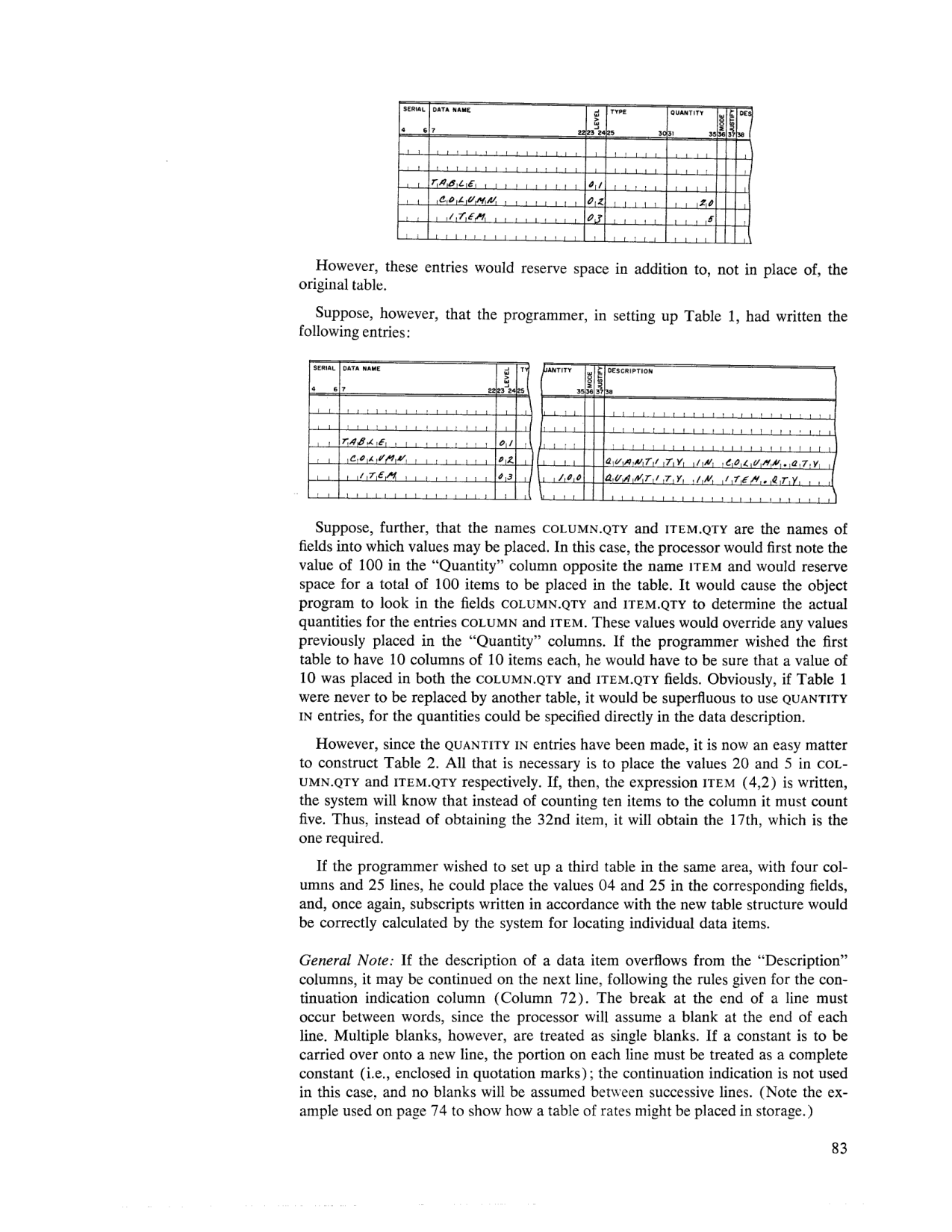 Data description coding form — a second, additive TABLE entry (quantities 20, 5), and, below, the original TABLE entry rewritten using QUANTITY IN COLUMN.QTY / QUANTITY IN ITEM.QTY (page 83).
SERIAL   DATA NAME              LEVEL  TYPE    QUANTITY   MODE  JUSTIFY  DESCRIPTION

         TABLE                    01
         COLUMN                   02                20
         ITEM                     03                 5
However, these entries would reserve space in addition to, not in place of, the original table.
Suppose, however, that the programmer, in setting up Table 1, had written the following entries:
SERIAL   DATA NAME              LEVEL  TYPE    QUANTITY   MODE  JUSTIFY  DESCRIPTION

         TABLE                    01
         COLUMN                   02                                              QUANTITY IN COLUMN.QTY
         ITEM                     03               100                            QUANTITY IN ITEM.QTY
Suppose, further, that the names COLUMN.QTY and ITEM.QTY are the names of fields into which values may be placed. In this case, the processor would first note the value of 100 in the "Quantity" column opposite the name ITEM and would reserve space for a total of 100 items to be placed in the table. It would cause the object program to look in the fields COLUMN.QTY and ITEM.QTY to determine the actual quantities for the entries COLUMN and ITEM. These values would override any values previously placed in the "Quantity" columns. If the programmer wished the first table to have 10 columns of 10 items each, he would have to be sure that a value of 10 was placed in both the COLUMN.QTY and ITEM.QTY fields. Obviously, if Table 1 were never to be replaced by another table, it would be superfluous to use QUANTITY IN entries, for the quantities could be specified directly in the data description.
However, since the QUANTITY IN entries have been made, it is now an easy matter to construct Table 2. All that is necessary is to place the values 20 and 5 in COL- UMN.QTY and ITEM.QTY respectively. If, then, the expression ITEM (4,2) is written, the system will know that instead of counting ten items to the column it must count five. Thus, instead of obtaining the 32nd item, it will obtain the 17th, which is the one required.
If the programmer wished to set up a third table in the same area, with four columns and 25 lines, he could place the values 04 and 25 in the corresponding fields, and, once again, subscripts written in accordance with the new table structure would be correctly calculated by the system for locating individual data items.
General Note: If the description of a data item overflows from the "Description" columns, it may be continued on the next line, following the rules given for the continuation indication column (Column 72). The break at the end of a line must occur between words, since the processor will assume a blank at the end of each line. Multiple blanks, however, are treated as single blanks. If a constant is to be carried over onto a new line, the portion on each line must be treated as a complete constant (i.e., enclosed in quotation marks); the continuation indication is not used in this case, and no blanks will be assumed between successive lines. (Note the example used on page 74 to show how a table of rates might be placed in storage.)